
My goals in selecting my next purchases were:
* getting a bit longer exposure times than the 8 seconds used so far
* magnifying the objects I had been seeing when zooming in on current photos
* finding smaller objects of interest using a “go to” capability
* being able to use the camera and 50 mm lens with the tracking and “go to” capabilities.
I selected the following items:
* Skywatcher HEQ5 Pro Go To Mount
* Skywatcher Black Diamond ED120 Refractor
* Orion ShortTube 80mm Awesome Autoguider Package
* PHD Guiding software – Mac version.
Ordered on May 29, Bintel in Sydney delivered these items to the Gold Coast within 3 days. Assembly was completed next day, triggering widespread rain throughout the area. It took another 12 days to work out the set up for tracking.
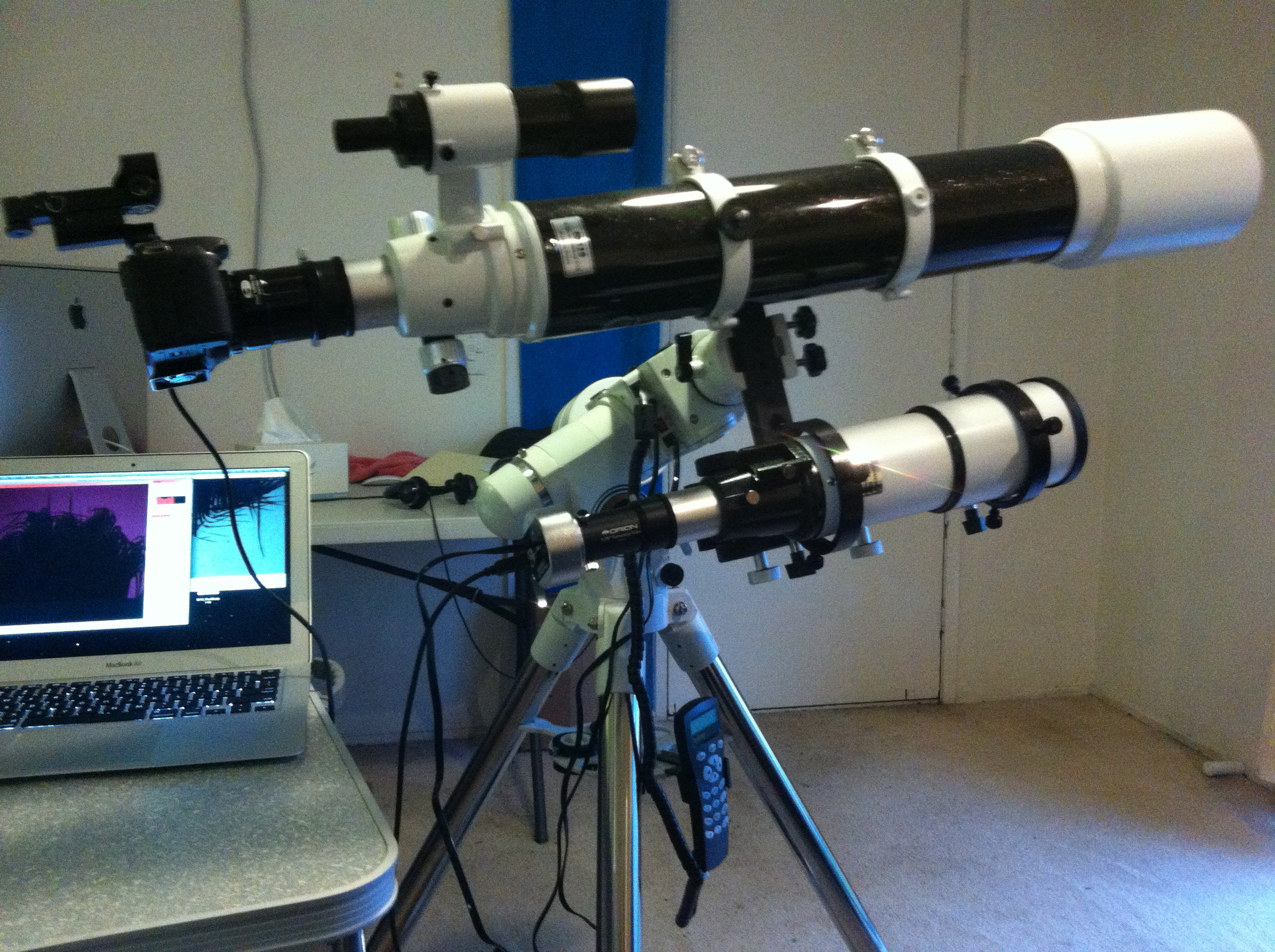
General Strategy for Telescope Alignment with the HEQ5 Pro Mount
I decided on a general strategy of relying on drift alignment using the guide scope and the PHD Guiding software from Stark Labs (www.stark-labs.com) running on the my portable MacBook Air.
For the initial physical setup, I have made no use of the polar scope system. Instead, I level the tripod carefully and point the tripod leg labelled “N” to True South with some care as well. The altitude is set at the value of the latitude. After that, I go directly to drift alignment in 2 axes, adjusting the RA and Dec adjustment knobs as required (details below).
The 1-star, 2-star and 3-star alignments offered by the telescope’s hand controller I have used only to enable the goto capabilities for target acquisition after drift alignment is completed. For this purpose, a 1-star alignment using a star closest to the planned target has been generally sufficient.
Finally, with a drift alignment done and a hand controller alignment completed as well, I have used the SkyWire attachment to an iPad so that I can use Sky Safari Pro to fine tune the position of the target in trail shots.
Reasons for my strategy
Drift alignment turned out to be surprisingly quick and easy using a guide scope and PHD Guiding and, once done, guided exposures have worked for as long as I needed (up to 1 hour so far). Drift alignment has worked readily with just the minimal physical setup as described, without using the polar scope system.
In contrast, the 1-star, 2-star and 3-star alignments offered by the HEQ5 Pro hand controller have not allowed long time exposures if drift alignment has not been done first. Finally, using the SkyWire / iPad system is dependent on both drift alignment and accurate hand controller alignment having been done first.
Details of Initial telescope alignment
1. Point the “N” of the tripod to true south using a compass and level the tripod. The N-S alignment is only approximate at this stage and is made more accurate later by the RA phase of the drift alignment using the RA adjustment screws.
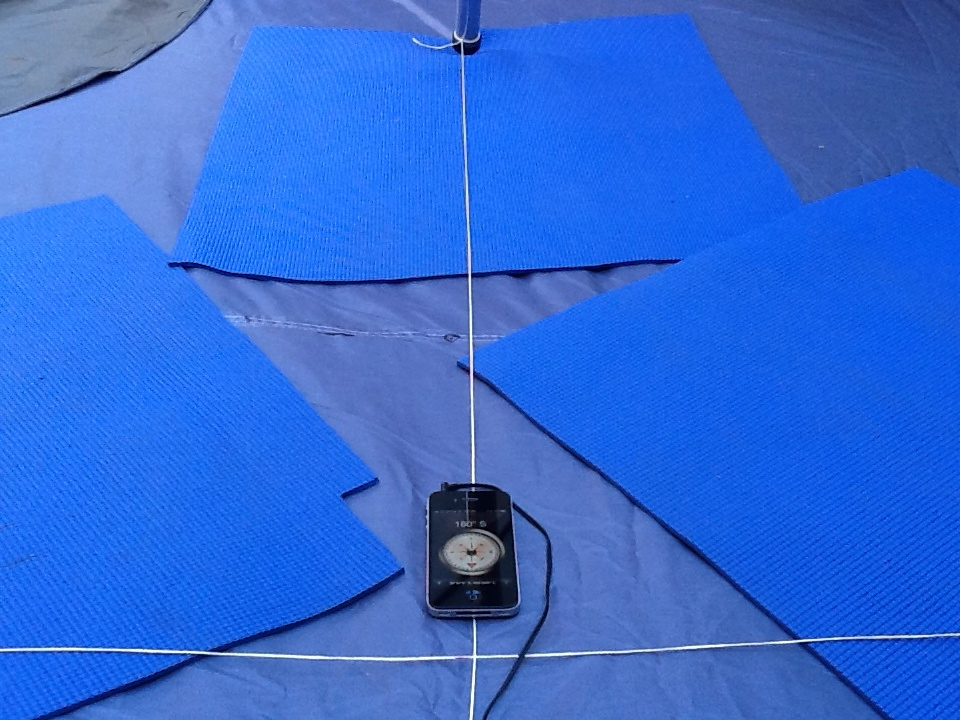
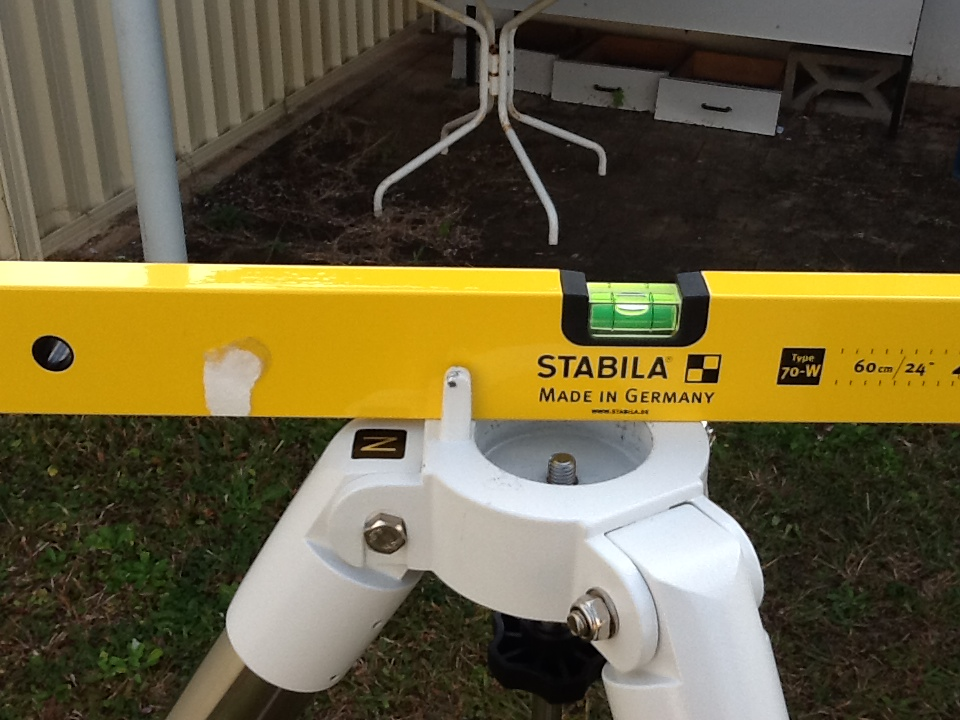
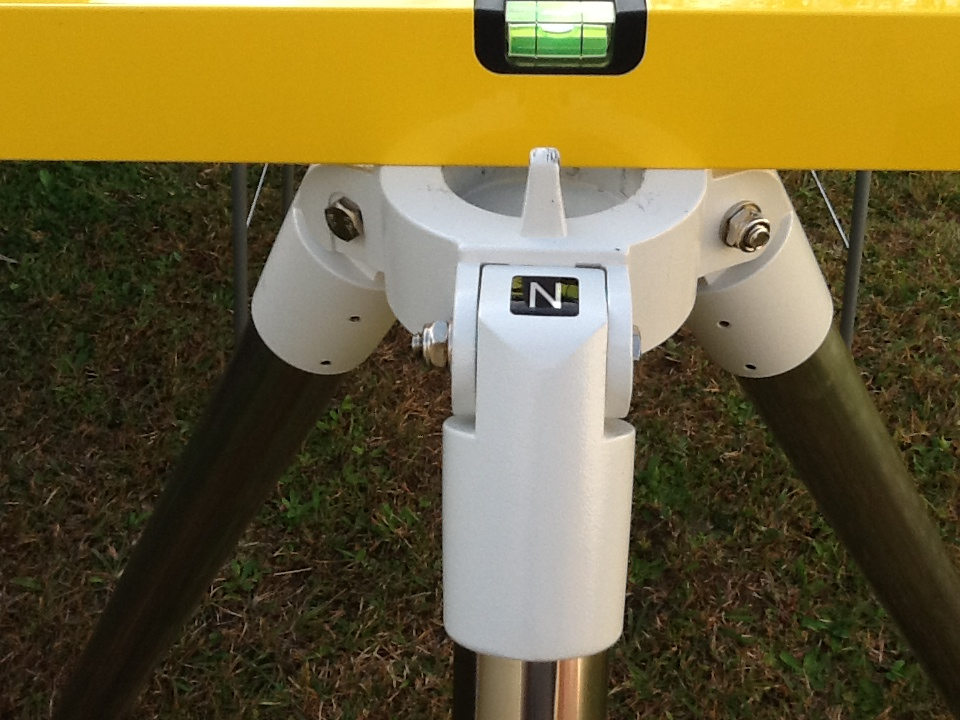 2. Fully assemble with the scope pointed at the south celestial pole by setting the altitude to the current latitude using the main Dec release handle. This altitude/latitude (Dec) setting is only approximate at this stage and is made more accurate in the Dec phase of the drift alignment using the Dec adjustment screws.
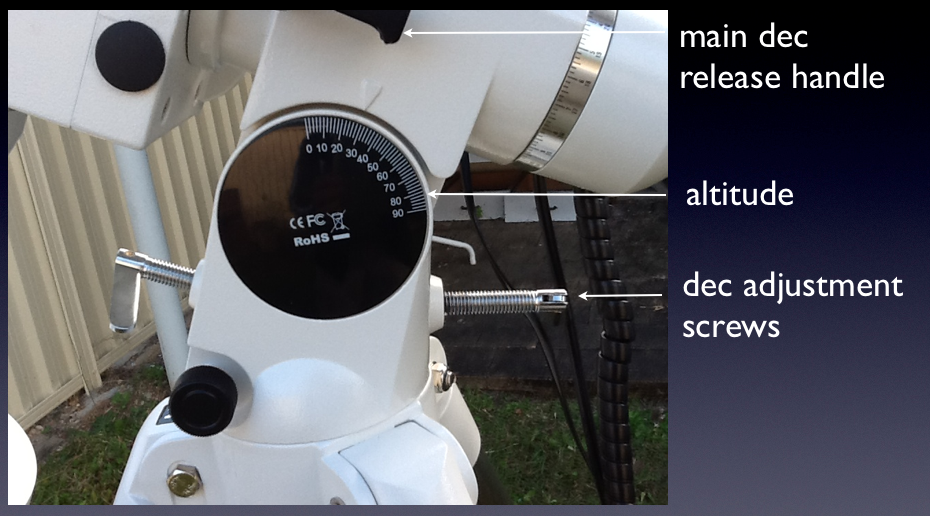
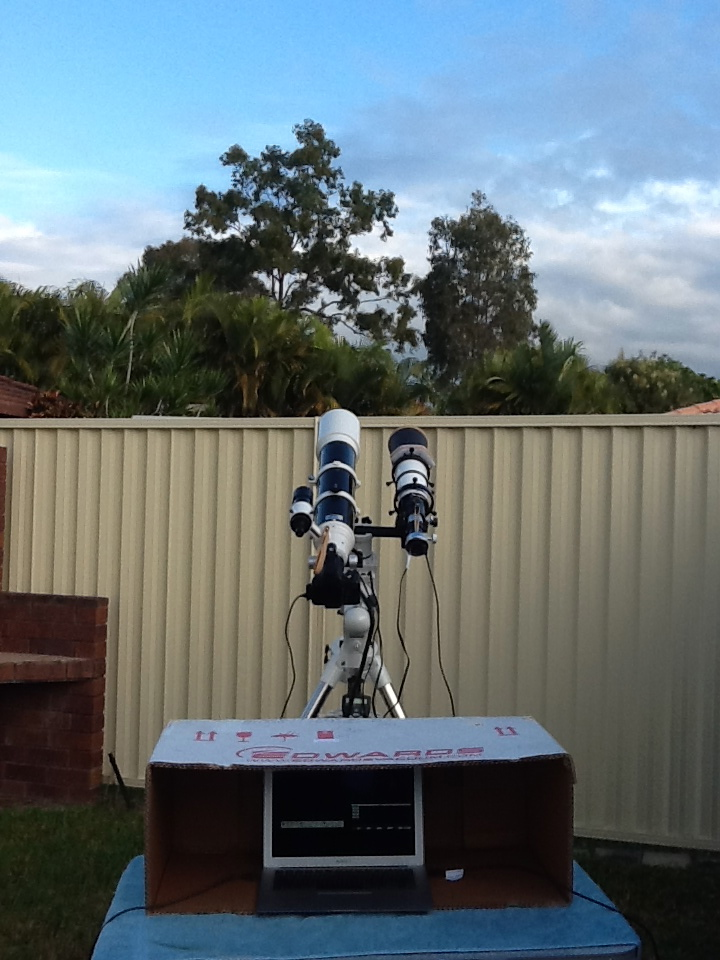
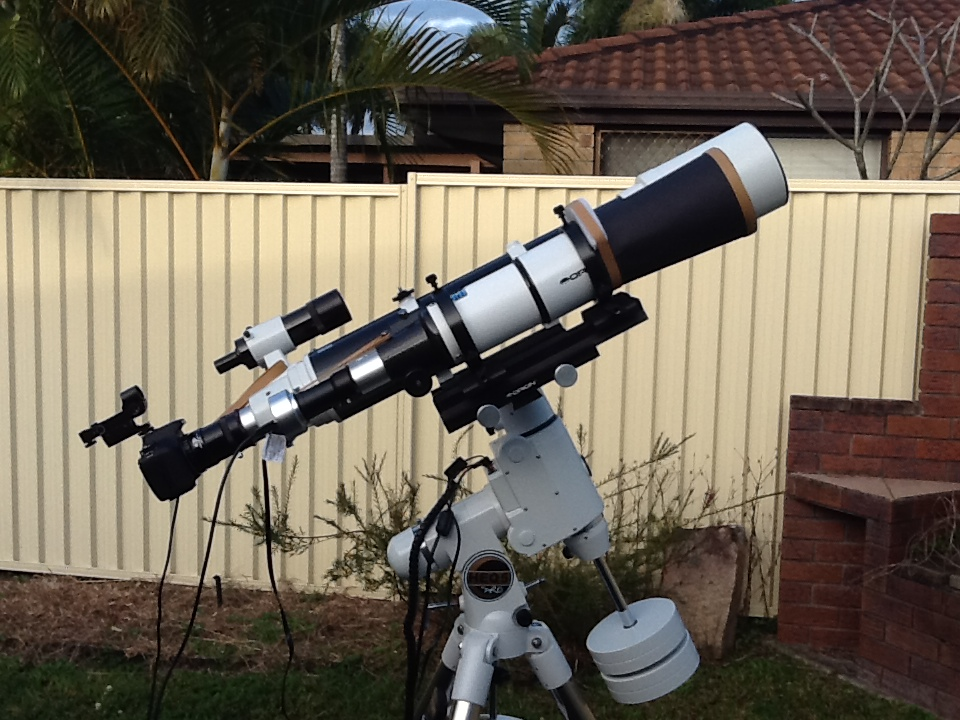
3. With the telescope in this position, turn on the power to the mount. Enter date, time and location data and activate Sidereal Tracking, but do not do a hand controller alignment at this stage.
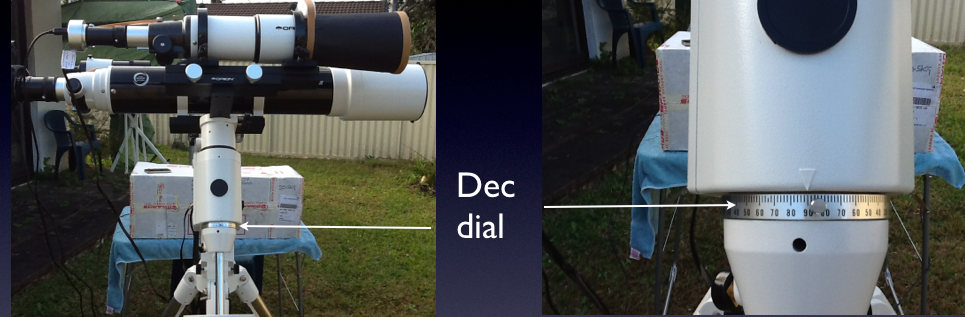 4. Drive the scope 90° in dec to the east using the arrow keys on the Hand Controller. Set the “Rate” to 7 to speed this up.
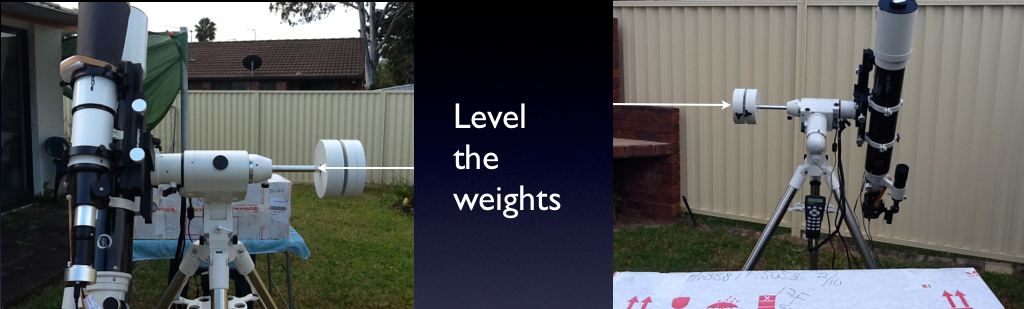
Next, drive the scope in RA to level the weights. The scope should now be pointed at the intersection of the celestial equator and the meridian, in which position, the error in the RA (N-S alignment) can be addressed.
4. Connect the guider by selecting the correct guide camera.
Note that the Mac version of PHD Guiding for the Orion StarShoot Autoguider camera was NOT at the Stack Labs web site. It was at a link stated to be Mac drivers but was actually a whole different version of the software with this camera now included.
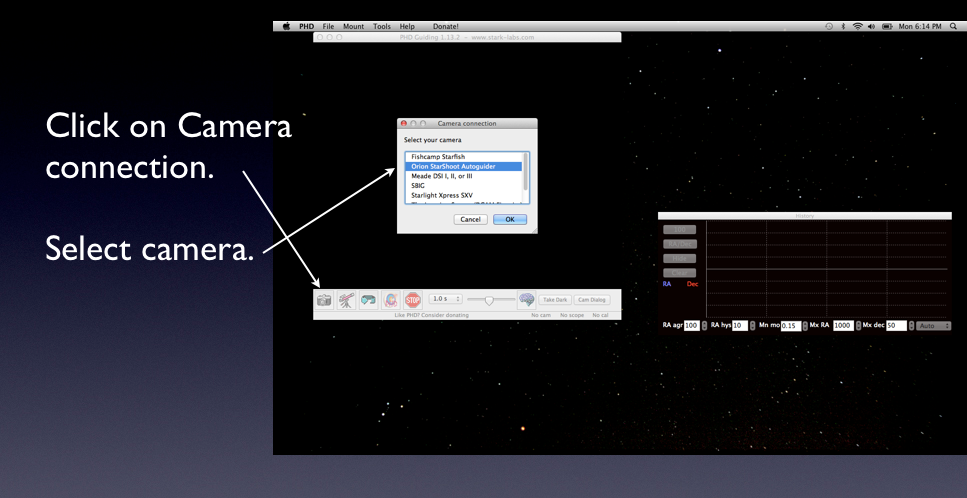
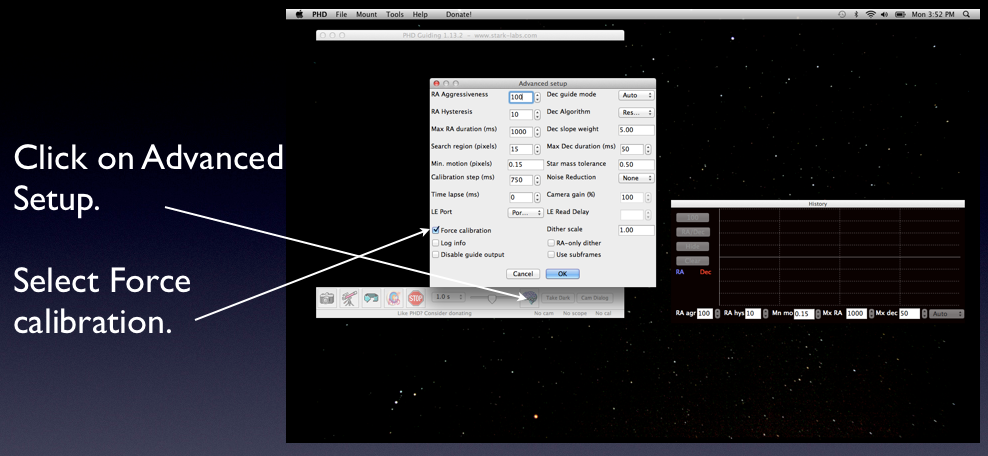
Select “Force Calibration”
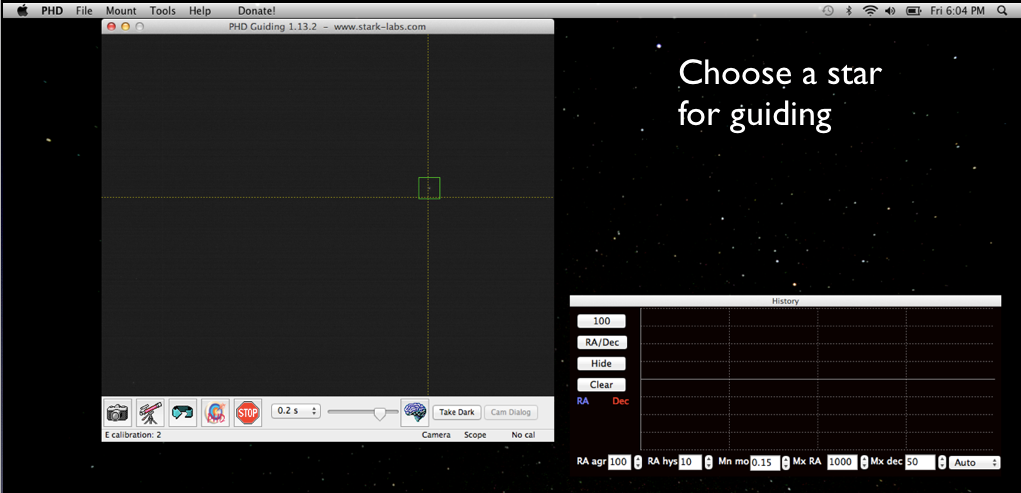 Take shots and choose a star to guide with
not too bright … if the program tells you “Star saturated”, choose a dimmer star
(although I have had some good results using saturated stars)
not too dim … it can periodically lose a dim star ; choose the brightest which is not saturated
not a hot pixel … for one brief moment, you think you have perfect tracking; you can ignore the hot pixel or select the option to do a “dark”.
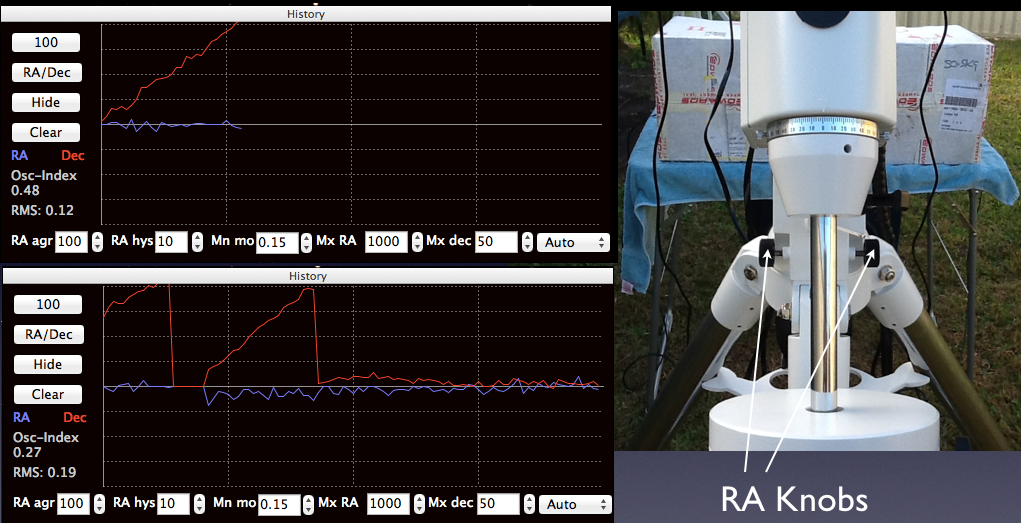
In the Graph mode of PHD Guiding, the red line labelled “Dec” will drift but it is the RA knobs which are adjusted to correct the drift. Stop guiding, adjust the RA knobs, restart guiding and check drift again .. until it ceases to drift. Drifting up meant loosening the left knob when standing south facing north … but basically, if it drifts faster, you are going the wrong way 
5. Stop guiding and drive the scope back to the south celestial pole again.
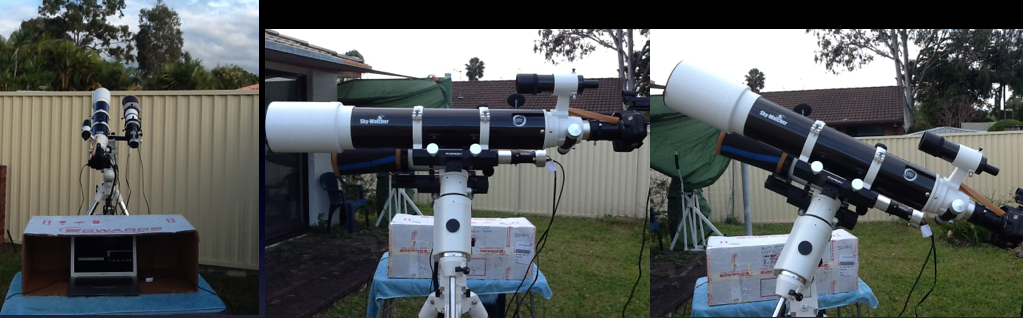
Then drive the scope 90° in dec again to point west. Adjust up to get above the horizon (or house roof in my case). The error in altitude/latitude (Dec) can be addressed in this position. Make sure Sidereal Tracking is activated with the hand controller. The software in the Hand Controller of my HEQ5 sometimes turns tracking off – mainly when doing its own alignment routine – and I got into the habit of checking it is really still on when I need it.
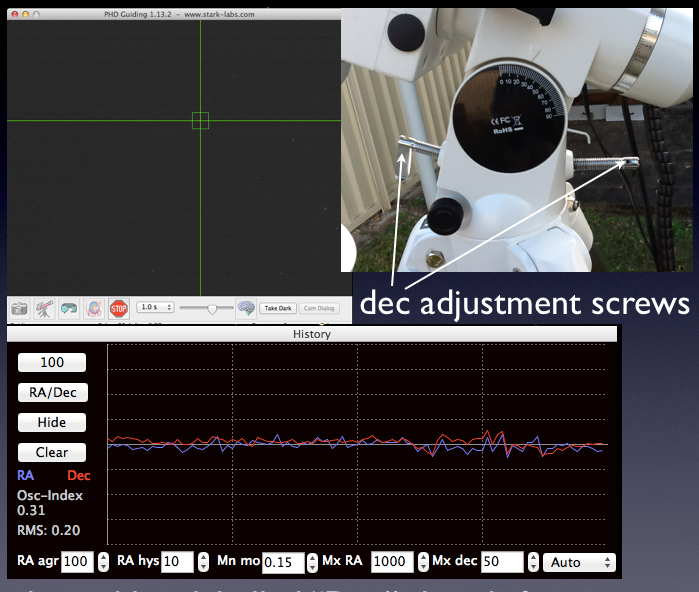
Select “Force Calibration” again and commence guiding.
As before, it is the red line labelled “Dec” which will drift but this time, it is the Dec knobs which are adjusted to correct the drift. Stop guiding, adjust Dec knobs, restart guiding and check drift again. Once there guider has control without drift, the scope is aligned.
6. Now run one of the Hand Controller alignments. There are a few points to note.
Firstly, if the Hand Controller was powered on while pointed at the South Celestial Pole and then aligned by drift alignment, the Hand Controller will already be approximately correct in its alignment.
Secondly, doing a Hand Controller alignment on the HEQ5 Pro mount basically tells the controller where to find things so that the “GoTo” system works. This is very good for finding targets. However, it is only the adjustment of the RA and Dec knobs during the drift alignment which assists guiding during photography.
Thirdly, the Hand Controller is more reliable in finding targets if the Hand Controller alignment was done with a star or stars close to the desired target.
Finally, the HEQ5 Pro Hand Controller turns tracking off when you do one of its alignment routines. Hence, you need to complete the routine very smartly or stars will drift while you are still aligning. Then you need to remember to turn sidereal tracking back on again. Using the Find Object function on the Hand Controller will turn sidereal tracking back on for you but I always double check it is on anyway.
Drift alignment can be one of the major “barriers to entry” for astrophotography. Learning it stopped me for 12 days … well, that and the rain … but at 9.15 pm on the 14th of June 2012, I achieved my first alignment and got my first guided shots. The next day I was able to email my telescope supplier (Bintel, Sydney) a picture which must have made him a lot happier than my previous 12 days of phone calls for help on alignment
situs togel
toto togel
toto togel
toto slot
toto togel
situs togel
situs togel
prediksi hk
prediksi sdy
situs toto
toto slot
situs toto
pam4d
situs togel
gimbal4d
pam4d
pam4d
gimbal4d
sangkarbet
sangkarbet
gimbal4d
situs toto
toto slot
situs toto
toto slot
situs toto
toto slot
toto slot
toto slot
situs toto
situs toto
toto slot
toto slot
pafikotatambrauw.org
pafikotapegununganbintang.org
pafikotamimika.org
pafikotamamujutengah.org
pafikotamalukutenggara.org
pafikotabovendigoel.org
pafikotamalukutengah.org
pafikotalannyjaya.org
pafikotakepulauanyapen.org
pafikotaintanjaya.org
pafikotaburuselatan.org
pafikotabiaknumfor.org